AI for Small Manufacturers: Six Jobs to Hand Over First
AI for manufacturing gets pitched at plants with a data team. These six jobs fit a shop of 10 to 100 people, each with what it needs first and where it breaks.
Search for AI in manufacturing and you get digital twins and lights-out factories. That material is written for plants with an IT department and a data team. If you run a job shop or a small production floor with 10 to 100 people, most of it has nothing to do with your week.
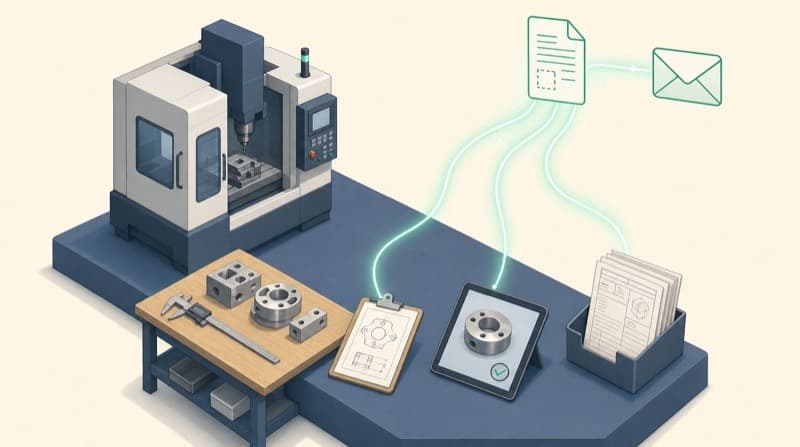
Your week looks more like this. RFQs pile up in an inbox. Customers email to ask where their parts are. The schedule lives in one person's head and a whiteboard. Inspection photos sit on a phone, and the maintenance history is a binder by the compressor.
That paperwork around the floor is where AI earns its keep in a small shop. Below are six jobs it can take on, what each one needs before it works, a first step you can take this month, and where it goes wrong.
1. Reading RFQs and drafting quotes
What it does. An RFQ arrives with a drawing and a short email. The AI reads both and fills in your quote checklist: material, quantity, finish, tolerances called out, delivery date, and what's missing. Then it pulls your three most similar past jobs so the estimator starts from real numbers instead of a blank sheet.
What it needs first. A quote history you can export. A spreadsheet works: part number, material, quantity, setup and run hours, outside processing, price, and whether you won it. If past quotes only exist as PDFs in sent mail, that export is the first project.
First step. Have it read every incoming RFQ for a month and produce the checklist only. No pricing yet. Your estimator checks each checklist against the drawing and notes what it got wrong.
Where it fails. It misreads drawings. Text in the title block and general notes comes out fine from a clean PDF. GD&T symbols, tolerances squeezed next to dimension lines, and scanned drawings come out wrong often enough that a person has to check every one. It also has no idea that a customer always pushes back on price or that a certain alloy is on a twelve-week lead time. Pricing stays with the estimator.
Speed matters here, and the reasons are the same as in other trades. How to automate quotes, step by step covers which parts of quoting to hand over and which to keep. If you want the steps from RFQ to sent quote built for your shop, how our quote automation service works sets out what gets automated and what you would need to provide.
2. Answering "where's my order?" emails
What it does. The same few questions keep landing in a small manufacturer's inbox: order status, ship dates, a PO acknowledgment, a supplier confirming when material lands. The AI drafts the reply from your job status and someone sends it.
What it needs first. A shared inbox, and read access to job status. That can be an ERP export or the spreadsheet your production lead keeps. Whatever it reads has to be current.
First step. Start with order-status questions from your top ten customers. The AI drafts, a person reads and sends. After two weeks, look at how many drafts went out unchanged.
Where it fails. It repeats whatever the system says. If operators don't clock jobs in and out, the ERP says a job is at deburr when it shipped yesterday, and the AI will tell the customer so with full confidence. Fix the status data before you automate the answer.
3. Turning the job list into a morning summary
What it does. It doesn't schedule the shop. It reads the open job list each morning and writes one page: what is late, what is at risk this week, what is waiting on material or outside processing, and what changed since yesterday. That page is the agenda for the production meeting.
What it needs first. A daily export of open jobs with due dates, routing steps and current status. Ask whether your ERP can export this. A well-kept spreadsheet also works.
First step. Run it alongside your existing meeting for two weeks. Ask whoever runs the schedule what it missed each day.
Where it fails. It only knows what's in the export. The machine that went down at 6 a.m. isn't in the data unless someone writes it down. Neither is the customer who called to pull a job forward. Don't let it re-sequence jobs. Your scheduler weighs setups, fixtures and which operator can run what, and none of that lives in a spreadsheet column.
4. Writing up inspection photos and nonconformances
What it does. An inspector or operator photographs a defect and says one sentence about it into their phone. The AI fills in your nonconformance report: part number, job, defect type, quantity affected, where it was found. It also files the photo under that job, so the next time the part comes up someone can search past problems.
What it needs first. Your NCR form, and a habit of putting the job or part number on every photo. Without that, nothing can be matched up later.
First step. Pick one cell or one product family and use it there for a month. Compare the reports to what your quality lead would have written.
Where it fails. A general AI model looking at a phone photo is not a measuring instrument. It can describe a scratch or a burr. It can't tell you whether a bore is in tolerance, and it shouldn't make accept or reject calls. Gauges and your CMM keep that job. Camera inspection on the line is a separate, bigger build with fixed lighting and a trained model. Our page on RFQ intake, inspection write-ups and maintenance logs for job shops lists it as a later build, and we don't recommend it as a first project.
5. Making maintenance logs searchable
What it does. You ask it plain questions about your equipment history. When did we last replace the way covers on the second mill? How often has the compressor tripped this year? It answers from your own logs and drafts preventive maintenance checklists from the machine manuals.
What it needs first. The logs in text form. If they're handwritten, someone types the last twelve months into a sheet, one row per event: date, machine, what happened, what was done, who did it. You also need the manuals as PDFs.
First step. Do that typing. It takes a day or two and is useful before any AI touches it. Then ask the questions your maintenance lead gets asked every week and check the answers.
Where it fails. This is not predictive maintenance. Predicting a failure needs months of sensor data such as vibration, temperature and spindle load, which is a much larger project. A searchable log tells you what happened. It can't tell you what's about to happen. It also only knows what got written down, so a machine that gets fixed quietly on night shift has no history.
6. Drafting SOPs and work instructions
What it does. Your best setup person explains a job out loud while someone records it on a phone. The AI turns the transcript into a work instruction in your format, with steps, tooling, checks and space for photos. It can produce a Spanish version too, if part of your crew reads Spanish more easily.
What it needs first. Someone who knows the job and twenty minutes of their time. Your existing document template helps.
First step. Pick a job you run often that only one person can set up. Record, draft, and have that person mark up the draft.
Where it fails. When the recording skips a step, the AI fills the gap with something that sounds right. That is the dangerous part. Every instruction needs sign-off from the person who does the work, and if you're ISO 9001 or AS9100 certified, your document control process still applies to anything it drafts.
Where to start
Pick one job from the list, not three. We suggest this order.
- Choose the job that happens daily and has an owner. RFQ intake and order-status email are good candidates, because they come up every day and one person already owns them.
- Pull the data before buying anything. Export three months of quotes, emails or job lists and look at them. If the export is a mess, you've found the real first project. Our guide to getting your business data ready walks through that cleanup.
- Run it in draft mode for a month. The AI drafts, a person approves every output. Keep a simple log of what it got wrong.
- Agree one number before you start. Days from RFQ to quote sent, or hours a week spent on status emails. Measure it before and after.
- Add the next job only when the first runs without anyone thinking about it.
Steps 3 and 4 are the ones a pilot can stall on. The go-live checklist for AI pilots covers the gates between a demo that works and a tool your office uses every day.
What not to start with
A digital twin or a sensor network. These need machines wired for data and months of collection before anything useful comes out. Some shops will get there. It shouldn't be the first project.
AI that schedules the shop for you. Advanced scheduling software exists and can help. Handing sequencing to a model before your routings and job status are accurate means it makes confident decisions from wrong inputs.
An "ask anything" chatbot over every file on the server. It sounds useful and gives poor answers, because your drawings, old revisions and current revisions all sit in the same folders. Start with one narrow job where you can check every answer.
Customer drawings in a free AI account. Drawings often come under NDA, and some defense work falls under ITAR. Check what your customer contracts allow before any drawing goes into an AI tool, and use a business plan that doesn't train on your data.
Frequently asked questions
Do we need an ERP before AI is useful?
No. None of the six jobs above needs one. A spreadsheet export, a shared inbox or a typed log is enough. What you need is records that are kept the same way every time. An ERP nobody updates is worse than a spreadsheet one person keeps carefully.
Can AI read our engineering drawings?
Partly. From a clean, vector PDF it reads title blocks, material callouts and general notes well enough to fill a checklist. It misreads GD&T symbols, crowded tolerances and scanned drawings often enough that an estimator or engineer has to check every one. Use it to save typing, and keep a person on the numbers.
Will this replace our estimator or scheduler?
No. Those two roles hold the judgment a small shop runs on, such as which machine can hold a tolerance and which job can slip a day. AI takes the assembly and the typing off their desks so they spend more of their day on those decisions.
How do we keep customer data safe?
Use a business account that doesn't train on your inputs, and keep a list of which tools can see what. Leave NDA and ITAR drawings out until you've checked the contract and the tool's terms. Start with jobs like order-status email, where the data is your own.
If you want a second opinion on which of these jobs fits your shop first, our free AI-readiness audit takes a few minutes and gives you a plain answer. Pricing lists what it costs if you'd rather we build it with you.